This is a machine-translated text that may contain errors!
What is a list?
A list is just a collection of things. And it can be a collection of anything. You can have numbers, you can have text, you can have objects, you can have a mix of things, anything at all.
This is useful for not needing to write a million variables for similar things. 💯🦍
Part 1 - Creating Lists
Creating a list is very simple. All we need to do is use square brackets [ and ].
Task 1.1a
Use square brackets and create a list containing animals, then print it.
Svaret
dyr = ["katt", "hund", "mus", "fisk", "fugl"]
print(dyr)
Syntax
Lists must have commas , between each item in the list.
Why is this useful?
Imagine you need to keep track of 10 animals in your code.
You could have written this like this:
animal1 = "cat"
animal2 = "dog"
animal3 = "mouse"
animal4 = "fish"
animal5 = "bird"
animal6 = "elephant"
animal7 = "kangaroo"
animal8 = "koala"
animal9 = "parrot"
animal10 = "tiger"
It becomes a bit impractical the more animals you have. Imagine if you had 100 animals, 1000 animals. What if you now want to print all the animals, it will be difficult at least. Therefore, we can use lists instead. It makes your code much easier to write and saves you a lot of time.
animals = ["cat", "dog", "mouse", "fish", "bird", "elephant", "kangaroo", "koala", "parrot", "tiger"]
print(animals)
Task 1.1b
Add some more animals to the list using additional items, what happens now?
Task 1.2
Lists don’t have to contain only text, try creating a list with numbers.
Svaret
tall = [47, 137, 214, 1337]
print(tall)
Quotation marks?
Here, quotation marks " are not used around the numbers, as we want them to be numbers and not text.
Task 1.3
Now try to create a list that contains a mix of text and numbers to see what happens:
Svaret
liste = ["cat", 1337, 214, "dog", "fish", 137]

print(liste)
Part 2 - Retrieving from Lists
In Part 1 we saw that we can use print() to print out the entire list. But what if we only want to retrieve something from the list? Then we can use [] to retrieve an “index”.
Index?
Index is a word that doesn’t have many good synonyms. But what you need to know is that it tells you where something is located. Let’s look at an example.
Task 2.1
Look at the list below:
dyr = ["katt", "hund", "kenguru", "fisk", "mus"] # animals
What happens when you write, meaning we want to retrieve what is at index number 1 in the list:
# Skriver ut det andre elementet i listen 'dyr'
print(dyr[1])
Why is "hund" printed, and not "katt"?
Index begynner ikke på 1!
Index to a list starts at 0 and not 1. In other words, the first element in a list has index 0, the second has index 1, the third has index 2 and so on. There are many technical reasons why this is the case, but the most important thing for you to remember is that it starts at 0.
If we want to print "cat", then we can write:
print(dyr[0])
Task 2.2
Dette er en oppgave hvor du skal implementere en funksjon som beregner gjennomsnittlig alder av en liste med personer. Hver person er representert som et dictionary med nøkkelen “alder” som inneholder personens alder i år.
Input: En liste med dictionaries, hvor hvert dictionary representerer en person og har en “alder”-nøkkel.
Output: Gjennomsnittlig alder av personene i listen. Hvis listen er tom, skal funksjonen returnere 0.
Eksempel:
personer = [
    {"navn": "Alice", "alder": 30},
    {"navn": "Bob", "alder": 25},
    {"navn": "Charlie", "alder": 35}
]

gjennomsnittlig_alder = beregn_gjennomsnittlig_alder(personer)
print(gjennomsnittlig_alder)  # Output: 30.0
Krav:
- Funksjonen skal håndtere tomme lister.
- Funksjonen skal håndtere lister med dictionaries som ikke inneholder “alder”-nøkkelen (i slike tilfeller skal personen ignoreres).
- Funksjonen skal returnere en float.
This is a task where you are to implement a function that calculates the average age of a list of people. Each person is represented as a dictionary with the key “age” containing the person’s age in years.
Input: A list of dictionaries, where each dictionary represents a person and has an “age” key.
Output: The average age of the people in the list. If the list is empty, the function should return 0.
Example:
people = [
    {"name": "Alice", "age": 30},
    {"name": "Bob", "age": 25},
    {"name": "Charlie", "age": 35}
]

average_age = calculate_average_age(people)
print(average_age)  # Output: 30.0
Requirements:
- The function should handle empty lists.
- The function should handle lists with dictionaries that do not contain the “age” key (in such cases, the person should be ignored).
- The function should return a float.
Example list:
Feel free to copy this code into your program.
dyr = ["katt", "hund", "kenguru", "fisk", "mus", "gorilla", "hest", "ku", "elefant"]
From the example list above, try to fetch and print() the following:
"kenguru""fisk""elefant""hest"
Task 2.3
What happens if you try to write:
# Skriver ut det tiende elementet i listen 'dyr'
print(dyr[9])
Svaret
What’s happening here is that you’re trying to retrieve something that is outside our list, meaning we have 9 things in our list, index number 9 is the 10th element, so we’re trying to retrieve number 10 of 9 things, that doesn’t work!
Task 2.4 - Retrieve and Store
Try to retrieve a value from the list in Task 2.2, and then store the value in a variable.
Svaret
animals = ["cat", "dog", "kangaroo", "fish", "mouse", "gorilla", "horse", "cow", "elephant"]

animal = animals[3]
What value does animal get?
Svaret
"fisk"
Task 2.5a
Fetch two different animals and store them in variables, for example animal1 and animal2.
Svaret
dyr = ["katt", "hund", "kenguru", "fisk", "mus", "gorilla", "hest", "ku", "elefant"]

dyret1 = dyr[3]
dyret2 = dyr[5]
Task 2.5b
Use an if and else check to see if the animals are the same or not.
Svaret
dyr = ["katt", "hund", "kenguru", "fisk", "mus", "gorilla", "hest", "ku", "elefant"]

dyret1 = dyr[3]
dyret2 = dyr[5]

if dyret1 == dyret2:
    print("Dyrene er like!")
else:
    print("Dyrene er ikke like... :(")
What happens if you try to retrieve the same index on both animals now?
Part 3 - Changing the Value of Something in a List
Task 3.1a
Try to write this code:
tall = [1, 5, 7, 11, 13, 17, 19, 23]
print(tall[3])

tall[3] = 137
print(tall[3])
Here we see that we can change the value in a list, values in lists largely function like a variable.
Task 3.1b
Try to change another index with a value.
Task 3.1c
Try printing the entire list in both print() statements, is it clearer then?
Svaret
tall = [1, 5, 7, 11, 13, 17, 19, 23]
print(tall)

tall[3] = 137
print(tall)
What this will print is:
[1, 5, 7, 11, 13, 17, 19, 23]
[1, 5, 7, 137, 13, 17, 19, 23]
Part 4 - Adding Items to a List
A very useful concept with lists is that it is possible to add things to lists. Here we will learn two things:
- Adding things to lists
- Using functions on lists
The second probably doesn’t tell you much, but we will look at what this means with an example! 👍
Task 4.1 - The append function
Look at this list:
dyr = ["katt", "hund", "kenguru"] # animals
print(dyr)
Use the append function to add a new animal to this list, then print the list again.
How do I use append?
We can use the append function like this:
animals.append("the animal")
How does this work? Animals is a list, and a list has access to a bunch of functions you can use.
One of these functions is append.
To use this, you write the variable name of the list, i.e. animals in this case, then a dot . followed by the name of the function, i.e. append. Finally, you must write inside the parentheses what you want to add.
Make sure this “syntax” is like this, or it will not work. The following examples will not work:
animals append("the animal")animals. append("the animal")animals .append("the animal")animals.append "the animal"
Svaret
dyr = ["katt", "hund", "kenguru"]
print(dyr)

dyr.append("elefant")
print(dyr)
Task 4.2
Then try to add a few more things to the list with multiple lines using append.
Task 4.3
Ask the user for an animal to add using input, then add the animal to the list.
Svaret
animals = ["cat", "dog", "kangaroo"]
print(animals)

animal = input("Enter a new animal: ")

animals.append(animal)
print(animals)
Part 5 - Deleting Items from a List
I hate cats! I want to erase cats from the world! (🐱 -> 💀)
We will now look at two ways to delete things from lists. And that is by using two new functions:
removepop
The remove function
The remove function is a function that can be used to delete things from a list. It takes as input a value we want to delete.
Task 5.1 - Use remove
Look at this list:
dyr = ["katt", "hund", "kenguru"] # animals
print(dyr)
Use the remove function to delete "cat" from this list.
Hint: it uses exactly the same spelling as append but where we write remove instead.
Svaret
dyr = ["katt", "hund", "kenguru"]
print(dyr)

dyr.remove("katt")
print(dyr)
Task 5.2
Use remove to delete some other things from the list.
Task 5.3
Use append to add something to a list, then use remove to delete it from the list again.
Svaret
dyr = ["katt", "hund", "kenguru"]
print(dyr)

dyr.append("elefant")
print(dyr)

dyr.remove("elefant")
print(dyr)
Hvorfor er dette nyttig?
It might not be immediately obvious why this is useful yet, but it will be helpful when we need to work with a lot of data!
pop function
This function unfortunately doesn’t play pop music (💃🕺), but it can “pop” something off a list. It’s probably best we look at an example.
pop function is another function that can be used to delete things from a list. Instead of taking the value of what we want to delete, it takes an index for deletion.
Task 5.3 - Use pop
Start with this code:
dyr = ["katt", "hund", "kenguru", "elefant"] # animals
print(dyr)
Use pop to delete "cat" from the list.
How do I use pop?
We can use the pop function like this:
animals.pop(index)
index is a number and follows the same system as in Part 2. Indexes start at 0, so if we want to delete the first element in a list, we write animals.pop(0).
Svaret
animals = ["cat", "dog", "kangaroo", "elephant"]
print(animals)

animals.pop(0)
print(animals)
Task 5.4 - Use pop again
After deleting "cat", try deleting "dog" from the list. What do you need to do?
Svaret
animals = ["cat", "dog", "kangaroo", "elephant"]
print(animals)

animals.pop(0) # deletes cat
animals.pop(0) # deletes dog
print(animals)
Why 0 twice?
The logic might be a little confusing, but let’s look at it this way:
- Our list starts as
["cat", "dog", "kangaroo", "elephant"] - We use
pop(0) - Now the list looks like:
["dog", "kangaroo", "elephant"]
What do you notice?
"dog" is now element no. 0 in the list! With pop, the element is deleted. That means everything else moves.
- We use
pop(0)again - Now the list looks like:
["kangaroo", "elephant"]
Part 6 - Sorting a List
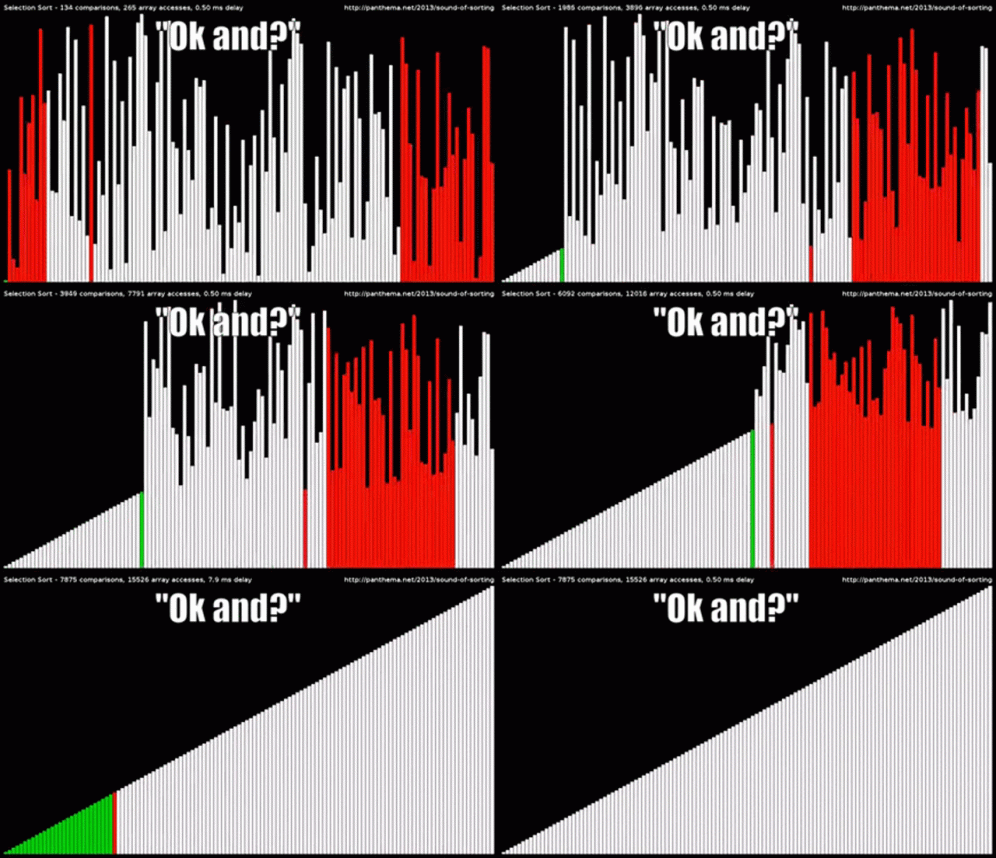
The last thing we will look at in Python 2 is sorting lists. This is a very important function.
Here the sort function is used!
Task 6.1 - Use sort
Start with this code:
dyr = ["katt", "hund", "kenguru", "elefant", "koala", "fugl", "papegøye", "mus"] # animals
print(dyr)
Use the sort function to sort the animals, then print the list to see the difference. Here, functions are used in a similar way, but you don’t need to take any arguments in. If you are unsure what this means, look at the answer below.
Answer
animals = ["cat", "dog", "kangaroo", "elephant", "koala", "bird", "parrot", "mouse"]
print(animals)

animals.sort()
print(animals)
Arguments? (👊🤬 -> ☝🤓)
Here we can see an example of a function without arguments. If you remember from “Python 3”, arguments are what you pass in between the parentheses () in a function. sort needs no arguments. We still have to include the parentheses.
Task 6.2 - Sorting Numbers
You can sort things other than text as well, try sorting a list of numbers. Here is an example list (feel free to use your own):
tall = [1, 5, 92, 12, 137, 49, 47, 137, 22, 0, 214, -3, -56, 23]
# Dette er en liste med tall. # This is a list of numbers.
Svaret
tall = [1, 5, 92, 12, 137, 49, 47, 137, 22, 0, 214, -3, -56, 23]

tall.sort()
# Prints out [-56, -3, 0, 1, 5, 12, 22, 23, 47, 49, 92, 137, 137, 214]
print(tall)
Extra - Other list functions that may be useful
If you want more information about these, you can go here: W3schools Python Lists
This function deletes everything from a list.
dyr = ["katt", "hund", "kenguru", "elefant"]
print(dyr)

dyr.clear()
print(dyr) # the list is empty
Copies the list.
dyr = ["katt", "hund", "kenguru", "elefant"]
print(dyr)

andre_dyr = dyr.clone()
print(andre_dyr) # the list is the same as dyr
Counts the number of an element in a list.
dyr = ["katt", "hund", "kenguru", "elefant", "katt", "mus", "elefant", "katt"]

print(dyr.count("hund"))    # 1 dog in the list
print(dyr.count("elefant")) # 2 elephants in the list
print(dyr.count("katt"))    # 3 cats in the list
Finds the index of the element you are asking about. It finds the first one in the list.
dyr = ["katt", "hund", "kenguru", "elefant"]

print(dyr.index("kenguru")) # prints 2, since that's where it is.
Puts the list in reverse order.
dyr = ["katt", "hund", "kenguru", "elefant"]
print(dyr)

dyr.reverse()

print(dyr) # prints out ["elefant", "kenguru", "hund", "katt"]